 English
AI App Store powered by Grok
Creating web apps, Python apps, and other AI-powered applications has become much easier. However, to create apps efficiently, it's important to write well-structured prompts, as this will increase the quality of the final product. In this section, I will introduce prompts and examples for creating web apps using Grok.After navigating to each page, you can launch the mini app and try it out, or simply copy and paste the prompts.
A small app to reverse-play a specified audio file.
Also, you can download it as sound file....
This is a fun mini-app that lets you easily convert images into ASCII art! Just drag and drop a PNG or JPEG image, and it will automatically transform into ASCII art, which you can download as a text ...
No Nut November is an internet challenge centered around abstinence, in which participants refrain from masturbation and orgasm throughout the month of November.
This app records when you break you...

Select multiple images, and the application will then display a full-screen slideshow. The display interval (or 'slide transition speed') can be adjusted....

Would you like to create a simple tool that instantly converts WebP images to PNG just by dragging and dropping them?
WebP is a popular image format known for its small file size, but not all softw...
An app that lets you upload an image, quickly add tThis tool specializes in a simple function: you can easily add any text you like onto your image and save it, just by uploading the file you have. Ab...
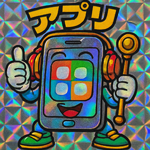
Here's a unique app that lets you display hologram-like stickers, similar to the iconic Bikkuriman stickers! First, create a Bikkuriman-style illustration using ChatGPT or another tool, and then load ...
With this tool, you won’t need to perform any complicated steps to change the image format—you simply drag the image, and within seconds, you’ll be able to save it in JPEG format.
For example...